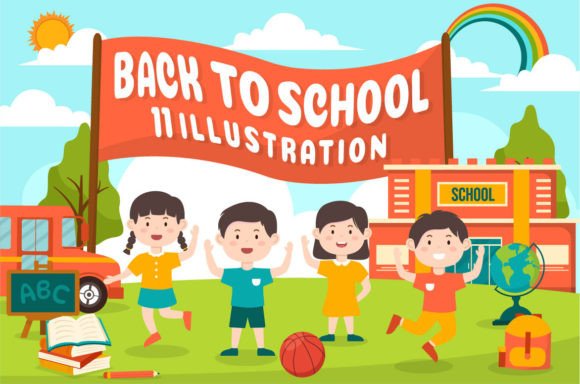
Back to School Vector Illustration 41
Back to School Vector Illustration 41 is a clean, flat-design vector asset built for flexibility—not just for one season or project, but for many. It’s not a static image; it’s a toolkit. Every element—school bags, notebooks, pencils, graduation caps, chalkboards, and stylized students—is individually layered, grouped logically, and fully editable in Adobe Illustrator. That means you’re not stuck with what you see. You can recolor a backpack in two clicks, scale the entire scene to fit a billboard or an Instagram story, or isolate a single icon to drop into a lesson plan or email newsletter.
Why this matters depends on who you are
For a freelance graphic designer juggling three back-to-school campaigns in August, speed and consistency matter most. Back to School Vector Illustration 41 saves time because it arrives ready to use—no tracing, no redrawing, no hunting for compatible fonts or matching line weights. The EPS and high-res JPG files (5000 × 5000 px) mean they work whether the client needs print-ready assets or web-optimized previews. And since all shapes are editable, swapping out a laptop for a tablet icon—or adding a custom mascot—takes minutes, not hours.
A small business owner launching a tutoring service might care less about technical specs and more about clarity and warmth. They’ll appreciate how easily the illustration communicates “learning,” “growth,” and “new beginnings” without relying on clichés or dated clipart. With simple color adjustments—switching from bright primary tones to muted sage and navy—they can align the visuals with their brand voice while keeping the message instantly recognizable to parents scrolling on mobile.
Educators building digital resources often need visuals that support accessibility and pedagogy—not just decoration. Because each shape is editable and labeled intuitively in the Illustrator file, a teacher can simplify the composition for younger learners (removing background clutter, enlarging key icons), add alt-text labels in their LMS, or adapt elements for bilingual handouts by inserting translated text directly into the vector layers.
Beginners get real control—without complexity
If you’ve only used Canva or basic photo editors before, vectors might sound intimidating. But Back to School Vector Illustration 41 is beginner-friendly by design. You don’t need to know Bezier curves to make it work. Open the file in Illustrator, select any object (like a pencil or open book), and change its fill color using the Color panel. Resize the whole composition proportionally with Shift+drag—and it stays razor-sharp at any size. No pixelation. No blurry edges. That reliability lowers the barrier to creating polished materials, whether you’re designing your first classroom banner or prepping a Shopify product page for school supplies.
Even if you’re not editing in Illustrator, the included JPG version gives immediate usability. Upload it straight to WordPress, Mailchimp, or Google Slides. Use it as a header background, a section divider, or a visual anchor in a blog post about study tips. The flat design style ensures readability at small sizes, and the generous 5000-pixel dimensions mean it holds up when zoomed or cropped tightly.
Creators and marketers build beyond the template
This isn’t just about using one illustration—it’s about remixing it. The set includes 100 vector illustrations, and Back to School Vector Illustration 41 is designed to play well with others. Combine its notebook stack with a calendar icon from another file to visualize a “study planner.” Pull its stylized student silhouette and place it beside a speech bubble from a different illustration to create a testimonial graphic. Because everything uses consistent stroke weights, spacing, and visual language, the result feels cohesive—not like a collage of mismatched parts.
For social media managers, that modularity means faster A/B testing. Try one version with warm yellows and oranges for a “back-to-routine” campaign, then duplicate the file, adjust hues to cool blues and purples, and test it against a “focus-and-calm” message. No new design time. Just intentional variation.
What professionals evaluate differently
- Quality: Flat design doesn’t mean low effort—it means intentional simplicity. Look at how shadows, gradients, and outlines are minimized without sacrificing depth. That balance supports scalability and ensures legibility across devices.
- Flexibility: Not just “can I resize it?” but “can I extract *one* element and use it independently?” Yes—and each shape retains its editability, grouping, and layer naming.
- Commercial safety: All 100 illustrations are delivered with full commercial license rights. Whether you’re designing for a client, selling printable planners, or branding an online course, you’re covered.
- Long-term usefulness: Unlike trend-driven assets that feel dated in six months, this illustration leans on timeless symbols (books, pencils, lightbulbs) rendered with contemporary restraint. It won’t clash with future rebrands or platform updates.
Is this right for your next project?
Ask yourself: Do you need something that works *now*, adapts *later*, and still feels intentional *next year*? If you’re building a landing page for an edtech startup, illustrating a blog series on learning strategies, updating a school district’s internal comms, or designing merch for a student-led nonprofit—yes, this fits. If your goal is ultra-niche realism (e.g., photorealistic depictions of specific textbook covers or regional uniforms), a custom illustration may serve better. But for clear, adaptable, human-centered visuals rooted in universal school themes, Back to School Vector Illustration 41 offers grounded utility—not just decoration.
It’s also worth noting: you’re not buying a single image. You’re getting a system—100 coordinated pieces, all built to the same standards, all editable the same way. That consistency multiplies value. One illustration helps you ship faster. A library of them helps you think bigger, iterate quicker, and maintain visual integrity across every channel you use.
Happy designing. Happy purchasing. And when September rolls around again—whether you’re prepping lesson plans, launching a course, or refreshing your brand—you’ll already have the tools to begin.