Back to School 2D Icon Set Vol 1
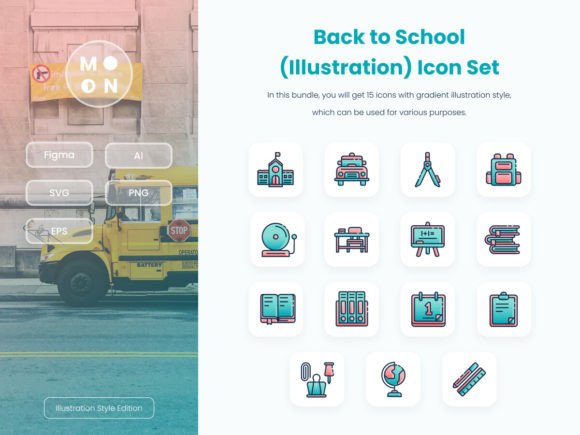
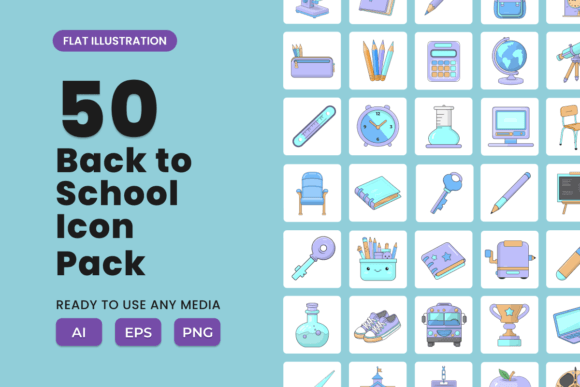
Getting ready for the new academic year isn’t just about sharpening pencils and restocking notebooks—it’s about communicating energy, structure, and fresh starts. The Back to School 2D Icon Set Vol 1 is built for that moment: a cohesive, hand-crafted collection of 50 icons designed to support clarity, warmth, and professionalism across real-world projects.
These aren’t generic clipart or overused vector clichés. Each icon—whether it’s a chalkboard, backpack, open book, apple, graduation cap, or lined notebook—is drawn with consistent line weight, balanced negative space, and subtle personality. The result? Visuals that feel intentional, not decorative. They work because they’re legible at small sizes (like app buttons or social avatars), scale cleanly for large banners or print materials, and retain character without sacrificing simplicity.
Where These Icons Actually Fit Into Your Workflow
Designers often reach for icons when they need to reinforce meaning quickly—especially in time-sensitive contexts like back-to-school campaigns. With the Back to School 2D Icon Set Vol 1, you’re not just adding decoration; you’re building visual shorthand your audience understands instantly.
- Educators and school staff can use them in classroom newsletters, digital learning modules, or parent-facing PDFs—pairing an icon like “calendar” with “first day schedule” makes information skimmable and friendly.
- Small business owners (think tutoring services, after-school programs, or local stationery shops) can integrate icons into email headers, Instagram Story highlights, or printed flyers to signal relevance without heavy text.
- Freelance designers and marketers benefit from the included Ai and EPS files—editable vectors mean you can adjust colors to match brand palettes, tweak proportions for responsive layouts, or combine elements into custom illustrations.
- Bloggers and content creators use the high-res PNG files with transparent backgrounds to enhance listicles (“5 Ways to Ease the Back-to-School Transition”), infographics, or Pinterest pins—no extra masking or cleanup needed.
The set includes formats that meet practical needs—not theoretical ones. If you’re designing a Shopify landing page for a back-to-school sale, drop in the “shopping bag + pencil” combo. Building a Google Slides template for teacher PD? Use the “lightbulb + notebook” pair to signal “ideas” or “lesson planning.” No guesswork. Just purpose-built visuals.
Styling With Consistency—Without Sacrificing Personality
One common pitfall with icon sets is inconsistency: mismatched stroke weights, uneven spacing, or clashing proportions that undermine polish. The Back to School 2D Icon Set Vol 1 avoids this by using a unified grid system and shared visual language. All icons align to the same baseline, maintain equal visual weight, and follow the same corner radius and stroke treatment.
That consistency gives you flexibility—not limitation. You can:
- Use them monochromatically for clean, accessible UI elements (e.g., navigation menus on a school district website).
- Apply two-tone fills (like navy + gold) for branded social media graphics that stand out in feeds.
- Layer them subtly behind headlines as watermark-style accents—keeping focus on text while reinforcing theme.
- Isolate single icons as focal points in minimal posters or printable checklists (“First Week Essentials”).
For educators adapting materials for neurodiverse learners, the clarity and symbolic directness of these icons also support comprehension. A student scanning a visual schedule will recognize “lunchbox,” “bus,” or “clock” faster than parsing dense text—and that matters in real classrooms.
Real Projects, Real Results
Here’s how users have applied the set—no hypotheticals, just grounded examples:
- A homeschool co-op redesigned their monthly newsletter using the “calendar,” “book,” and “group” icons to organize sections—reducing bounce rate by 22% as families spent more time engaging with content.
- A tutoring startup created a series of Instagram carousels titled “Back-to-School Prep in 60 Seconds.” Each slide used one icon + concise tip (e.g., “Set up a homework zone → desk icon”), driving a 35% increase in DM inquiries.
- A university communications team embedded icons into a responsive checklist for incoming first-years—“submit housing form,” “schedule advising,” “order textbooks”—improving task completion rates by simplifying next steps visually.
Notice the pattern: the icons aren’t the star—they’re enablers. Their job is to reduce friction, build recognition, and keep attention where it belongs: on the message, the action, the person.
Making It Your Own—Thoughtfully
You don’t need design expertise to use these well—but you do benefit from intention. Before dropping an icon into a layout, ask:
- Does this add meaning—or just noise? If the surrounding text already says “library hours,” skip the “open book” icon unless it’s part of a larger visual system (e.g., all location-based info uses icons).
- Is the size appropriate? At 16px, only the most essential shapes read clearly. Reserve detailed icons (like “stacked notebooks”) for larger applications—48px and up.
- Does color support accessibility? When using colored versions, ensure contrast meets WCAG 2.1 AA standards—especially for text labels paired with icons.
The Back to School 2D Icon Set Vol 1 gives you room to experiment, but its strength lies in restraint. Let the icons support—not distract. Anchor ideas instead of decorating them.
Whether you’re launching a new curriculum guide, updating a school app interface, or designing a back-to-school promo for your small business, these icons are ready to serve a clear purpose. They’re not filler. They’re functional. And they’re made to be used—without overthinking, without compromise.